WebP is Google's open image format, released in 2010 and now universally supported by Chrome, Firefox, Safari, and Edge. For web use, it's strictly better than JPEG and PNG in most situations: smaller files, comparable quality, and native transparency support. But your camera doesn't shoot WebP, your design tools don't export WebP by default, and many people outside web development have never encountered the format. WebP Express makes conversion approachable on Mac.
The WebP advantage: real numbers
Google's own studies show WebP is 25–34% smaller than JPEG at equivalent visual quality, and 26% smaller than PNG. For a website with 50 product images averaging 300KB each, switching to WebP would save roughly 4MB per page load. On a mobile connection, that's the difference between a page that loads in 2 seconds and one that loads in 3. Page speed is both a user experience factor and a search ranking signal.

When to use WebP
Always use WebP for: website product images, blog post images, hero images, thumbnails, any image delivered over HTTP to a modern browser.
Don't use WebP for: images you're delivering to clients in print production workflows (TIFF/PNG), files going to software that might not support WebP (older Photoshop versions, some CMSes), or images for social media platforms that may re-encode them anyway.
Check before converting: Images with text or sharp-edged graphics (logos, icons, screenshots) are better served by PNG. WebP's compression handles photographic content better than geometric shapes with hard edges.
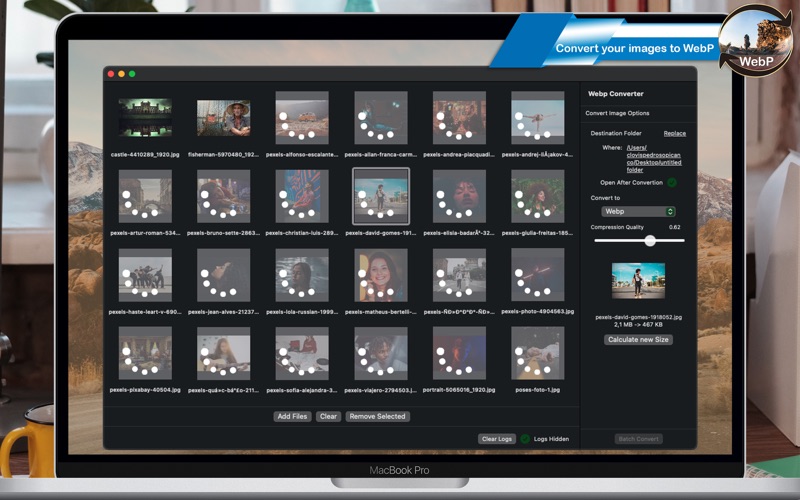
Batch converting for a web project
The typical workflow: you've finished editing product photos in Lightroom or Photoshop, exported them as high-quality JPEGs, and now need WebP versions for your website. Drop the entire export folder into WebP Express, set quality to 80 (the standard web sweet spot — visually equivalent to JPEG at 85-90% but significantly smaller), and convert. The originals are untouched; WebP files are exported to a parallel folder. Upload the WebP folder to your web server.
Transparency in WebP
Unlike JPEG, WebP supports alpha channel transparency — the same capability as PNG. If you have product photos on transparent backgrounds (PNGs), you can convert them to WebP and retain the transparency, with significantly smaller file sizes than PNG. This is the one case where WebP replaces PNG on the web rather than just JPEG.
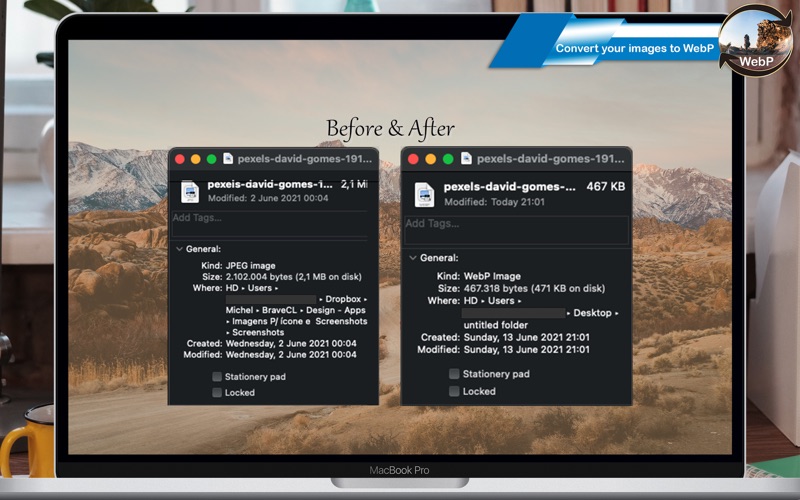
Browser support reality check
WebP is supported by Safari 14+ (macOS Big Sur / iOS 14), Chrome 23+, Firefox 65+, and Edge 18+. As of 2024, WebP is safe to use for web delivery without fallbacks for any site with a modern audience. For absolute backward compatibility with very old browsers, a JPEG fallback using the HTML <picture> element is the correct solution — not avoiding WebP altogether.
WebP Express Photo Converter is $6.99 one-time on the Mac App Store, requires macOS 13 Ventura.