Every photo you share publicly without a watermark is a photo that can be downloaded, cropped, and re-posted as someone else's work. For photographers, content creators, and small businesses, watermarking isn't just about protection — it's about attribution. Your name on your work is marketing that travels with the image wherever it ends up.
Creating your signature watermark
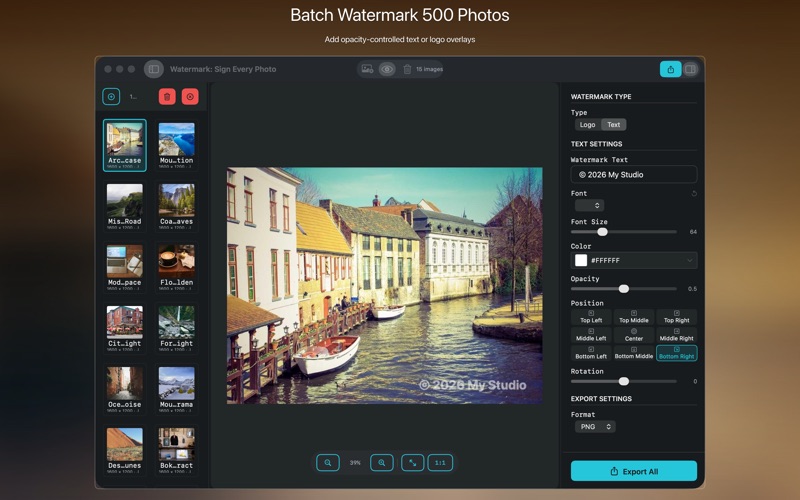
Open Watermark: Sign Every Photo and start with a text watermark — it's the fastest setup. Type your name, website, or copyright notice. Choose your font, then work on the three variables that determine whether your watermark is effective or annoying: opacity, size, and position.
The right opacity depends on your use case. For social media and portfolio sharing, 25–35% opacity is the sweet spot — visible enough that it can't be cropped out without obvious damage, transparent enough that it doesn't compete with the subject. For images you're licensing to clients, 15–20% is a professional courtesy that protects without being aggressive. For stock photography where theft is a concern, 40%+ creates a watermark that's actually difficult to remove cleanly.
Logo watermarks and image-over-image
If you have a logo or brand mark as a PNG with transparency, drag it into the logo slot. Position it in a corner (bottom-right is convention, but bottom-center works for wider brand marks). Logo watermarks are harder to clone-stamp out than text because the shape is irregular and often overlaps detailed areas of the photo. If your logo has a dark background, the transparency layer in the PNG ensures it blends correctly on any photo background.
Batch processing a client delivery
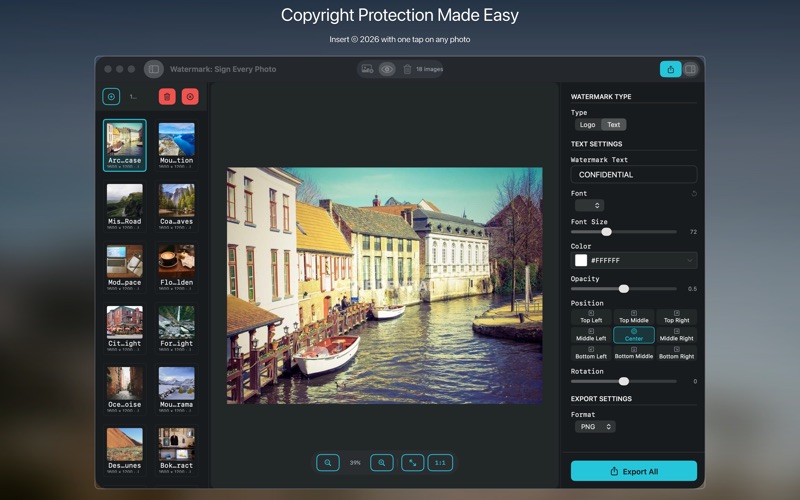
This is where the app earns its place in a professional workflow. After a shoot, you've edited your selects and have a folder of 80 final images ready to deliver. Instead of watermarking one at a time, drop the entire folder into Watermark: Sign Every Photo, confirm your preset looks right on one preview image, and run the batch. All 80 images get the same watermark applied consistently and exported to a folder of your choice. The originals are untouched.
If you shoot for multiple clients with different watermark requirements — some want your name only, some want a specific copyright notice, some get unwatermarked prints — save each configuration as a named preset. Switching between clients takes three seconds.

Platform-specific export settings
Different platforms have different requirements. A watermark that's perfectly sized for a full-resolution Instagram post might be enormous on a website thumbnail. Use the export size controls to match your target platform — a 2000px wide export for Instagram, 1200px for blog use, 800px for email. The watermark scales proportionally with the image, so your position percentage stays consistent regardless of output size.
Everything stays on your Mac
All processing happens locally. Your photos don't upload to any server. There's no account to create, no subscription, no watermarking service that could disappear or change pricing. Watermark: Sign Every Photo is a $9.99 one-time purchase on the Mac App Store, requires macOS 13 Ventura.