CSV — Comma Separated Values — is the lingua franca of structured data. Bank exports, e-commerce order histories, email list exports, app analytics, accounting software output, government datasets: nearly every piece of tabular data you'll encounter outside of a database is in CSV format. The problem is that the two obvious tools for working with CSVs — Excel (expensive, subscription-based) and TextEdit (impractical for structured data) — aren't right for everyone. CSV Editor Pro is a focused Mac app built specifically for this job.
Opening and reading a CSV correctly
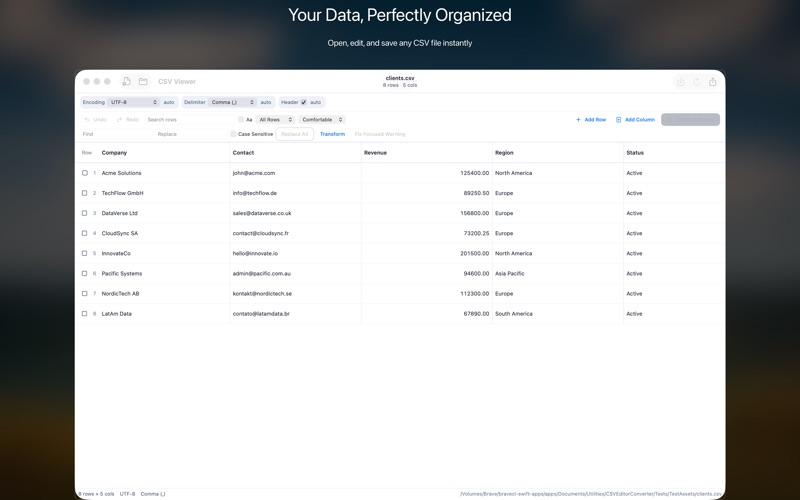
A surprising number of CSV problems happen at the opening step. Excel's auto-import famously destroys data: leading zeros in ZIP codes become integers, dates reformat to American style, scientific notation mangles product codes like "1E+10". CSV Editor Pro opens CSV files without interpreting the values — what you typed is what you see, in every cell.
The other common issue is delimiter confusion. Not all "CSVs" use commas — many use semicolons (common in European Excel locales), tabs, or pipes. CSV Editor Pro auto-detects the delimiter or lets you specify it manually when auto-detection gets it wrong.
The use cases CSV Editor Pro actually solves
Cleaning a mailing list: You exported your subscriber list from your email provider. It has duplicate entries, inconsistent capitalization, blank rows, and test entries that need removing. Filter to find duplicates, sort by column to spot inconsistencies, delete rows, edit cells directly. Export the clean version.
Reconciling a bank export: Your bank's CSV export has columns in the wrong order for your accounting software. Reorder the columns, delete the columns you don't need, and save. No formulas required.
Verifying an e-commerce order export: You need to confirm that all orders above a certain value have a tracking number. Sort by order value descending, scan the tracking column visually. Flag anything missing.
Editing without breaking the format
The technical challenge with CSV editing is that the format itself has rules: values containing commas must be quoted, quotes inside quoted values must be escaped as double-quotes, line breaks inside values need special handling. CSV Editor Pro manages all of this for you — you edit cells as plain text, and the app writes the correct CSV encoding on save. You won't accidentally corrupt a file by adding a comma to a cell.
Large files
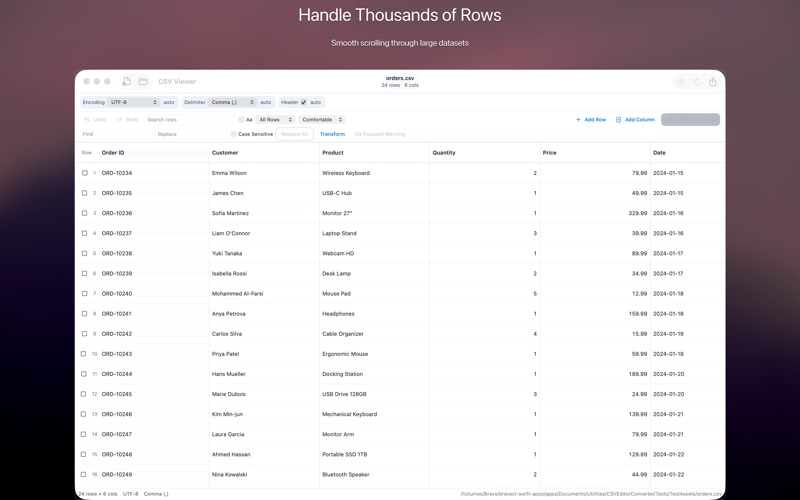
CSV files from data exports can be enormous. A year's worth of transaction records might have 500,000 rows. CSV Editor Pro handles large files by virtualizing the grid — you can scroll through 500,000 rows without loading them all into memory at once. Most text editors and even some CSV-specific tools choke on files this size.

Getting started
CSV Editor Pro is $9.99 one-time on the Mac App Store, requires macOS 13 Ventura. There's no subscription, no cloud sync requirement, no account. Your data stays on your Mac and is never sent anywhere. Open the file, edit, save. That's it.