 BraveCL


What Repair Damaged Photos does
Fill scratches, dust and worn spots
Focus on scratches, dust and worn areas without changing the entire picture. The repair is composited only where you paint.
Compare the original with your edit
Look at the original beside the edited image to check the same details. Drag the split-view divider to compare at any point while editing.
Undo a step that goes too far
On Mac, reorder or disable individual steps, and undo or redo a setting that goes too far.
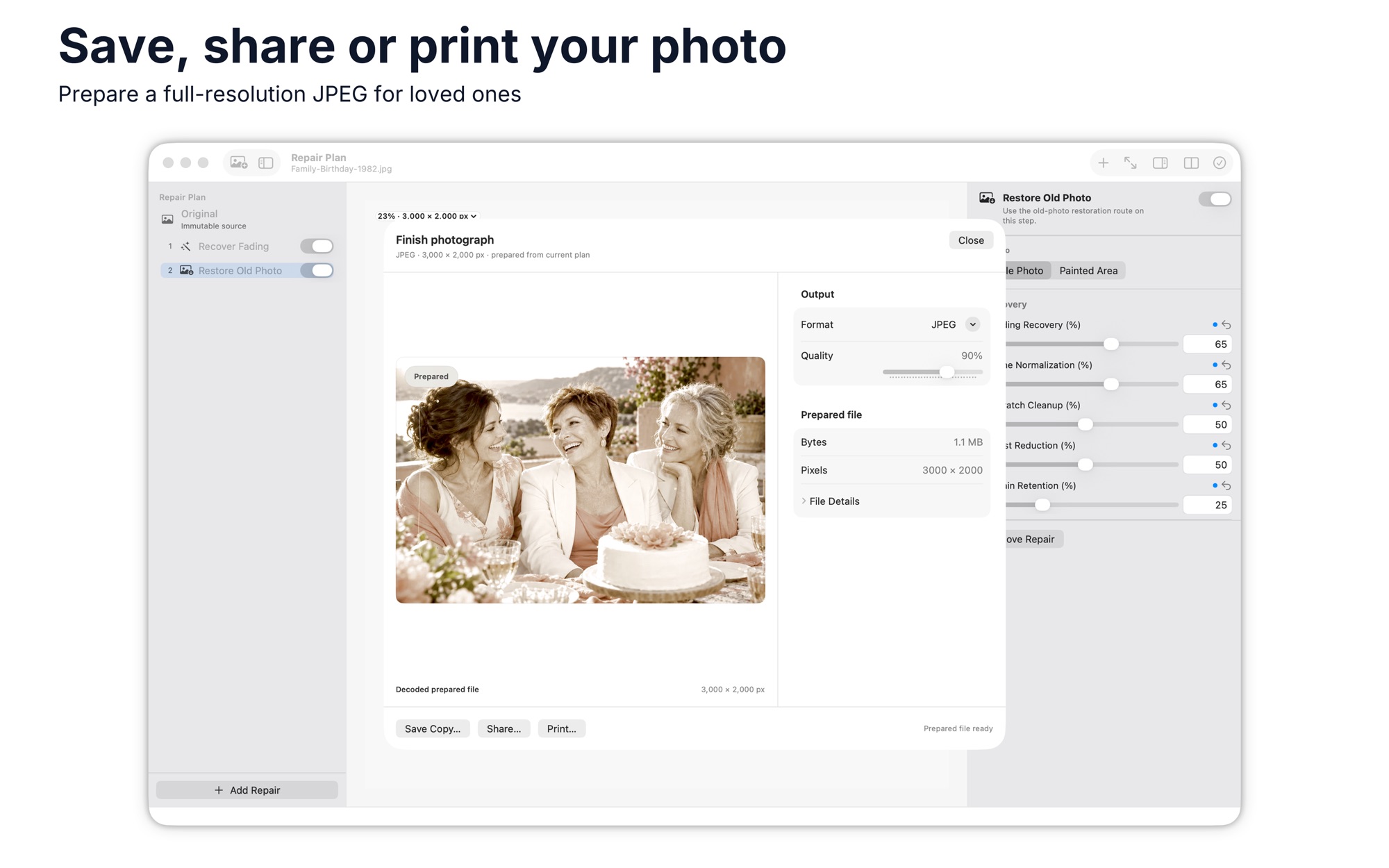
Save as PNG, JPEG, TIFF or HEIC
Save the finished image to a location you choose, in PNG, JPEG, TIFF or HEIC. Share it or print it.
Chain workflows on Windows
On Windows, the output of each workflow can feed the next, so you can chain them.
How it works
Step 1 of 3
Choose the tool for the damage
Pick the tool that fits the damage, such as the brush for scratches or dust.
Step 2 of 3
Adjust, then compare
Adjust the controls, then compare the result with the original side by side.
Step 3 of 3
Save or share the copy
Save a copy to a location you choose, then share it or print it.
Saves PNG, JPEG, TIFF or HEIC.
Platforms and requirements
macOS
- Store
- Mac App Store
- Version
- 2.0
- Requires
- macOS 14.0 or later
- First released
- Jul 23, 2026
- Last updated
- Nov 2, 2026
- Purchase
- One-time purchase: $9.99 in the Mac App Store
Windows
- Store
- Microsoft Store
- Version
- 1.0.1.0
- Requires
- Windows 10, version 1809 or later
- First released
- Sep 7, 2026
- Purchase
- One-time purchase: $7.99 in the Microsoft Store
- Seller on the Mac App Store
- BraveCloud
- Seller on the Microsoft Store
- BraveCL
Details
- Size
- 209 MB
- Languages
- 43 languages
- Account
- Not needed to use the app
Questions
Does it change my original photo?
On Mac, your source photo stays available while you work, and the result is saved as a copy to a location you choose.
Which formats does it save?
It saves PNG, JPEG, TIFF or HEIC. On Windows, JPEG quality is adjustable.
Can it work on several photos at once?
On Mac, it handles one picture at a time, with no batch processing or RAW developing.
What's new
Version 2.0 · Nov 2, 2026
The same hands-on tools for worn photo scans: repair damaged areas, compare your result with the original, and save a copy. The repair tools are unchanged in this update.
All releases of Repair Damaged PhotosWorks well with
 Color GradingCinematic color grading — 6 presets, 13 sliders & split-tone tints, exporting to JPEG, WebP or AVIFPhoto & Image
- macOS
- Windows
 Photo File Size ReducerPrepare photo batches for size-limited uploads. Compare each result with the original, then save the batch.Photo & Image
- macOS
- Windows
More photo and image apps
 Photo Converter StudioGet a folder of images in the format another program accepts. Set options once, then see which files finished.Photo & Image
- macOS
- Windows
 Blend ImagesGet a double exposure or texture overlay from two photos. Choose one of 16 blend modes and see it on the canvas.Photo & Image
- macOS
- Windows
 Photo Text EditorAdd styled text, quote overlays, and real-time filters to any photoPhoto & Image
- macOS
- Windows
Need help with Repair Damaged Photos?
Install and refund help for each store, and a form that reaches the developer.