Image to PDF Export Studio
Convert images to polished PDFs, instantly, locally
macOSProductivity$9.99 v1.1
Seamlessly transform multiple images into a single, high-quality PDF document directly on your Mac, ensuring privacy and ease.
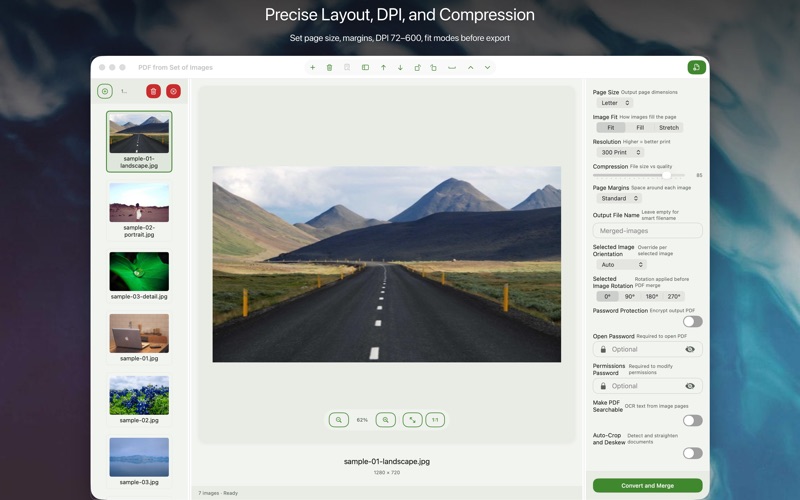
Everything you need.
Nothing you don't.

๐Ÿ—‚๏ธ
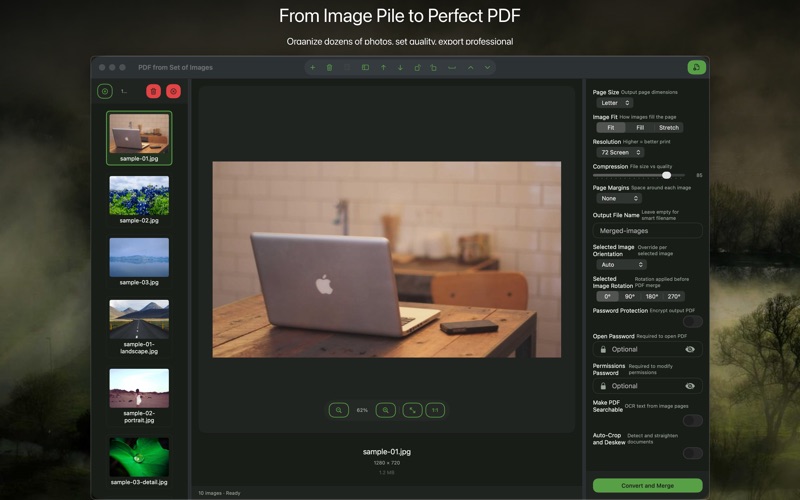
Batch Image Processing
Convert multiple image files into a single PDF document efficiently.
๐Ÿ“
Flexible Page Layout
Define custom page sizes, orientations, and margins for your PDF.
๐Ÿ–ผ๏ธ
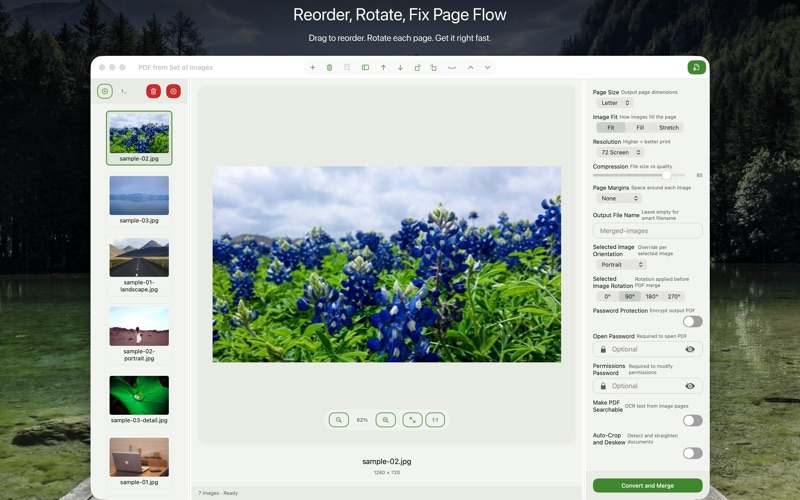
Reorder Images Easily
Drag and drop to arrange images precisely within your PDF document.
โš™๏ธ
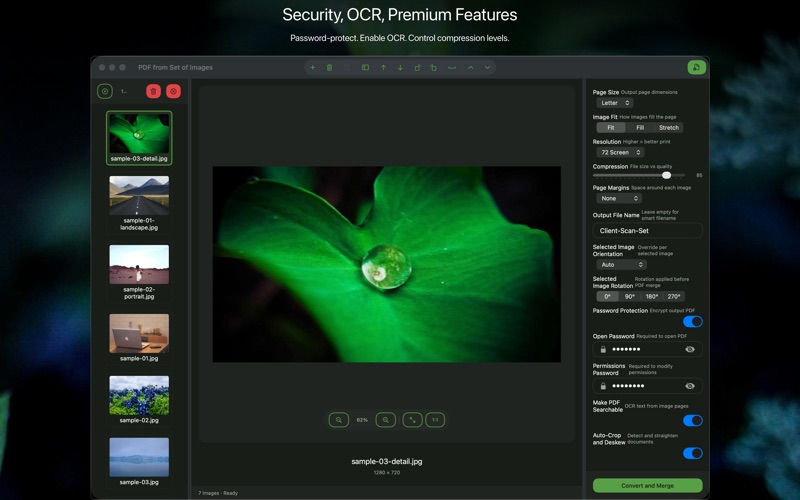
Output Quality Control
Adjust PDF compression and image quality for optimal file size and clarity.
๐Ÿ”
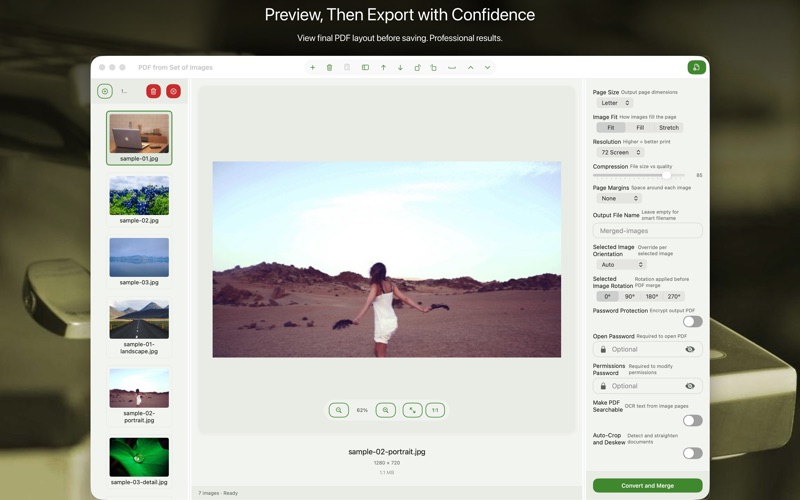
Real-time PDF Preview
See exactly how your PDF will look before saving the final file.
๐Ÿ“ธ
Diverse Image Formats
Supports JPG, PNG, HEIC, TIFF, and more for comprehensive conversion.

Where Image to PDF Export Studio runs

macOS
Available now
Drag & drop files from Finder
Native performance on Apple Silicon
Optimized for macOS Dark Mode
Download ยท $9.99

Simple by design

Step 01
Add Your Images
Drag and dropped your photos, screenshots, or other image files into the app.
Step 02
Arrange & Configure
Organized images, adjusted page settings, and fine-tuned output quality to your liking.
Step 03
Export Your PDF
Clicked export and instantly saved your multi-page PDF document to your Mac.

Common questions

Image to PDF Export Studio is a one-time purchase. There are no subscriptions, recurring fees, or in-app purchases.
No. All image processing and PDF generation happens directly on your Mac, ensuring complete privacy and data security.
This app requires macOS 13 Ventura or later. It runs natively on both Apple Silicon and Intel-based Macs.
All future updates, bug fixes, and new features for Image to PDF Export Studio are included free with your purchase.
macOS 13 Ventura or later, Apple Silicon + Intel Universal, One-time purchase ยท $9.99, In-app purchases
None, Analytics: No, Account Required: No

We're here when you need us.

Small team, real humans. We read every message and typically reply within 1โ€“2 business days.

Image to PDF Export Studio โ€” PDF Creator for Mac โ€” BraveCL