 BraveCL

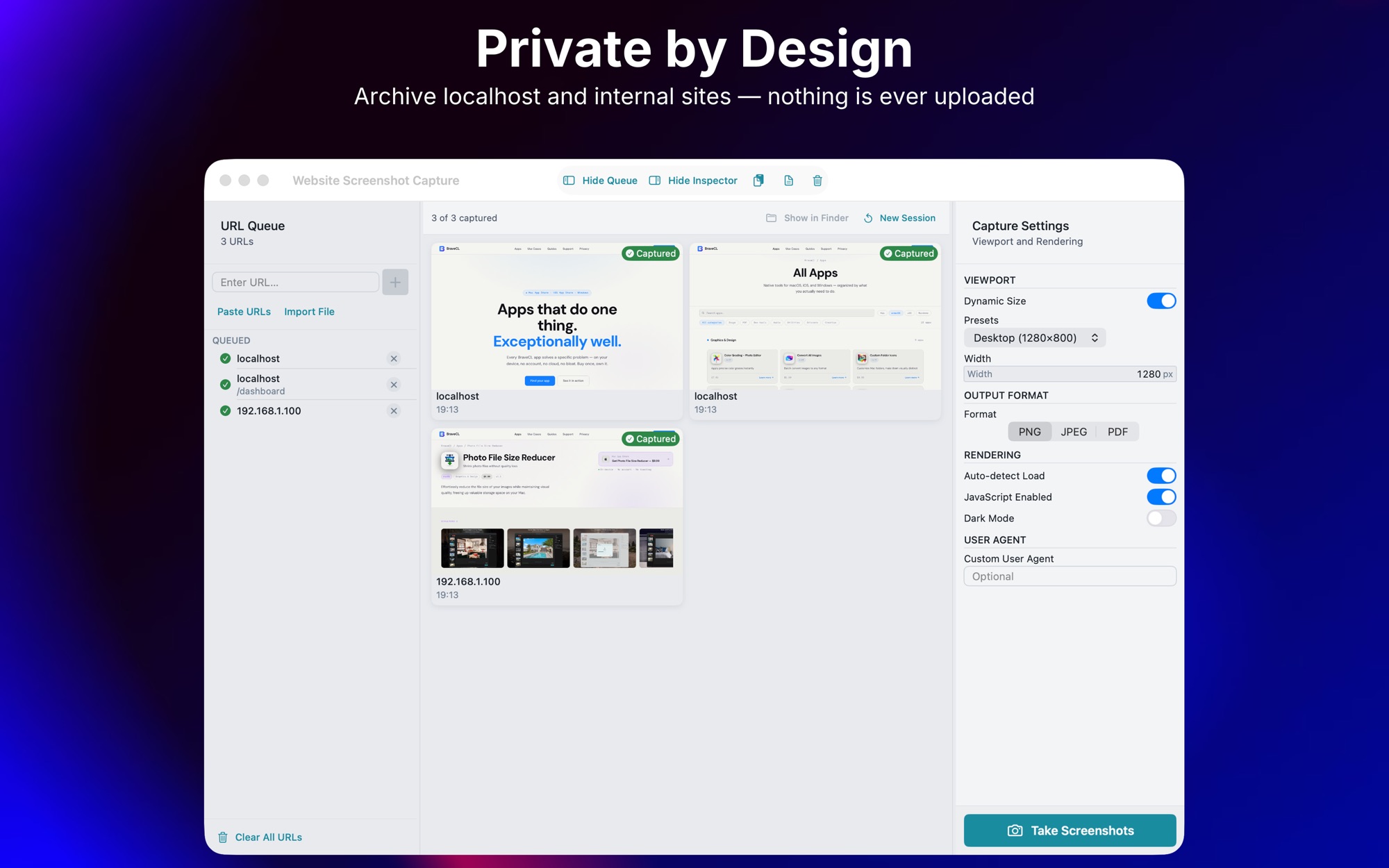
What Website Screenshot Capture does
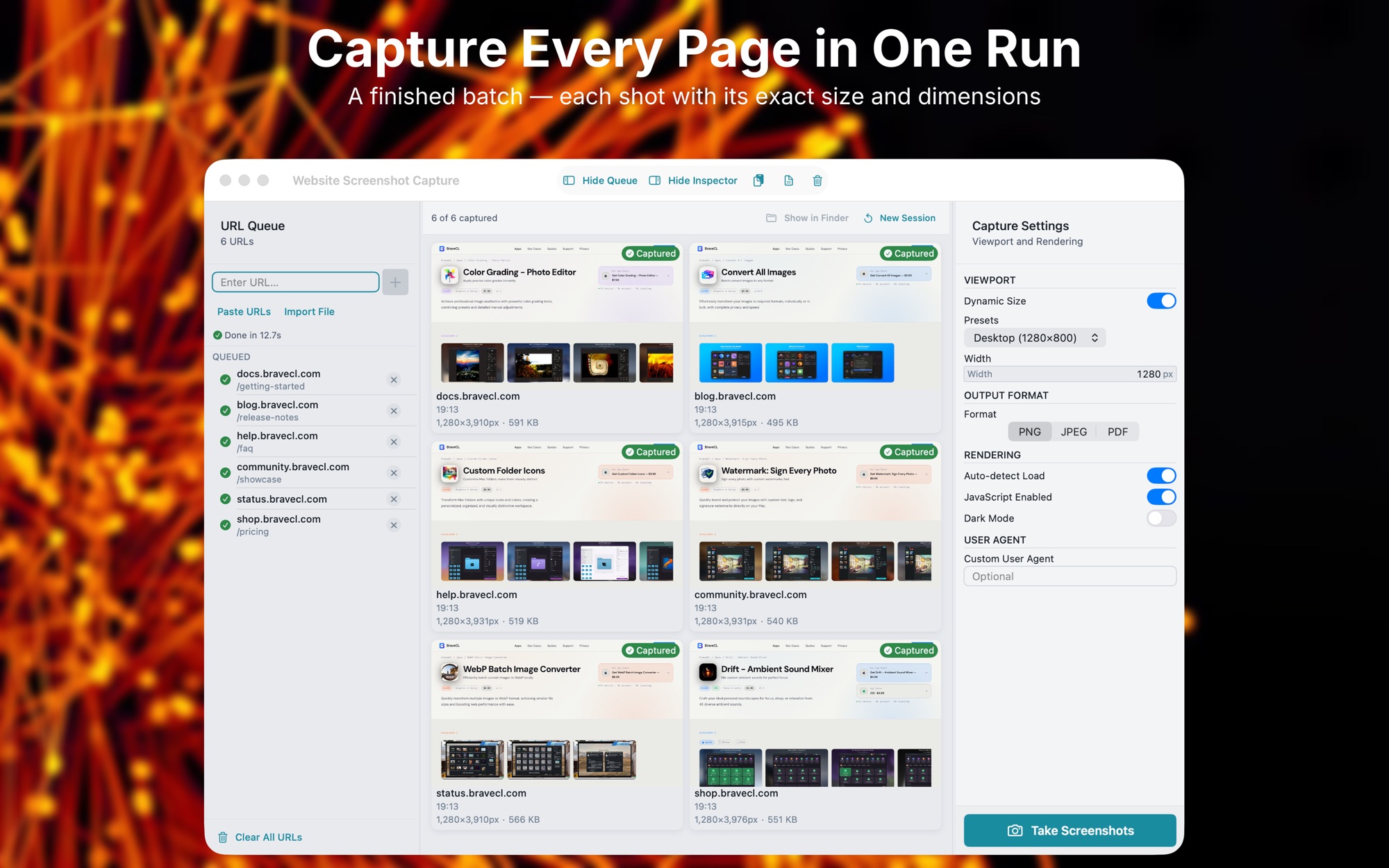
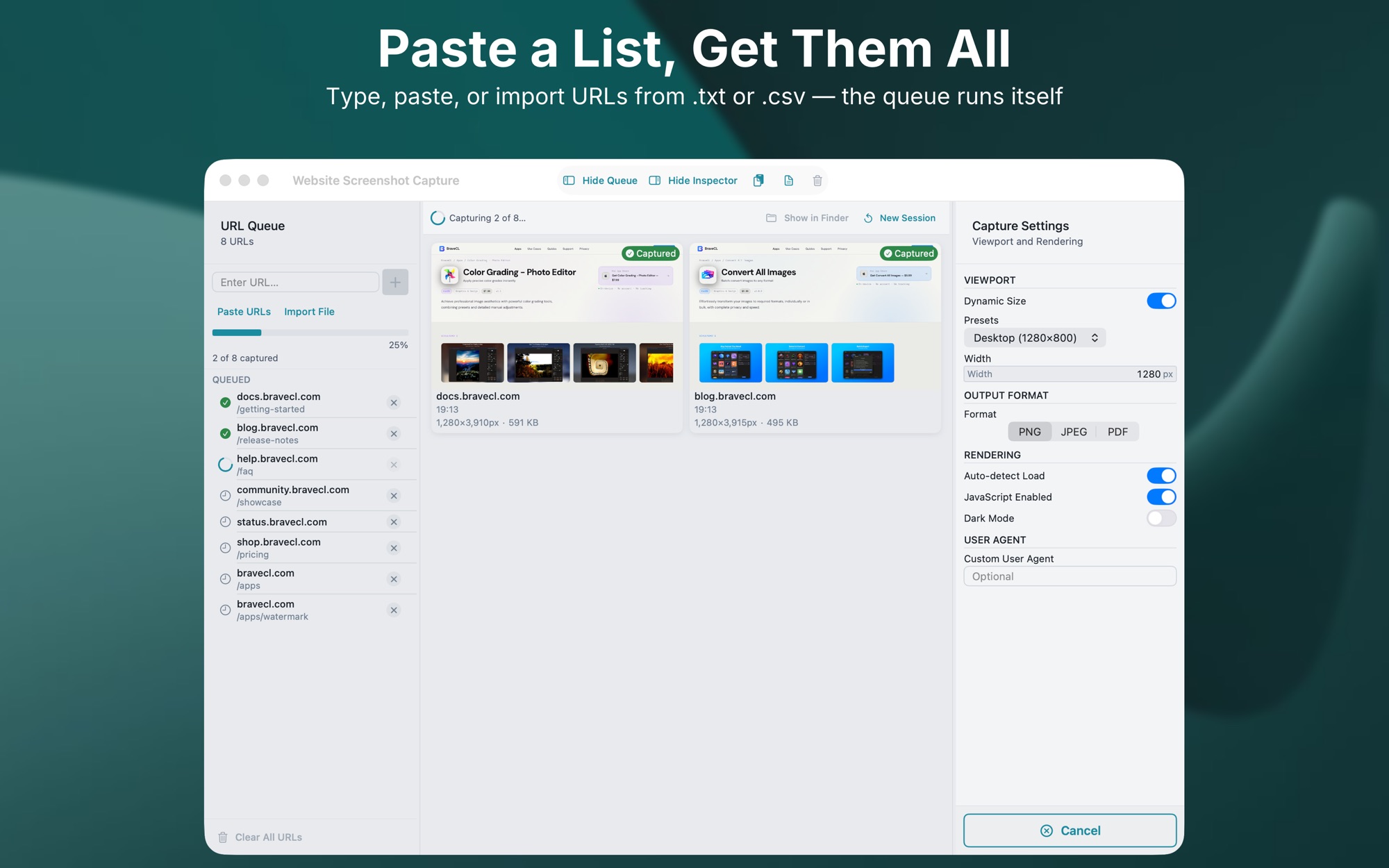
Build a queue of URLs
Type or paste addresses into the queue, or import a .txt or .csv file with one URL per line.
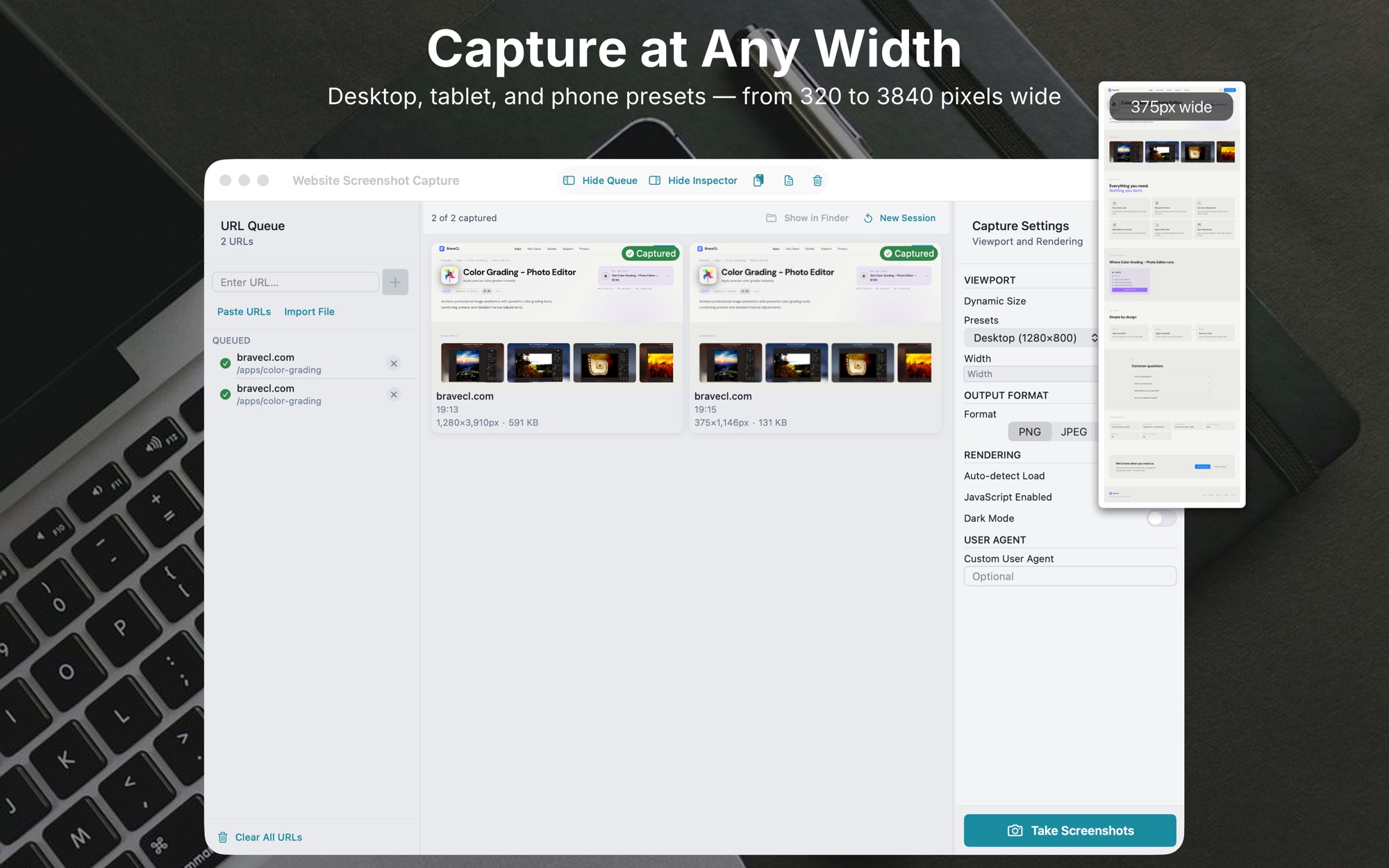
Pick a preset or a custom width
Use Desktop, Mobile or Tablet, or enter any width from 320 to 3840 pixels. Presets are 1280 × 800, 375 × 812 and 768 × 1024.
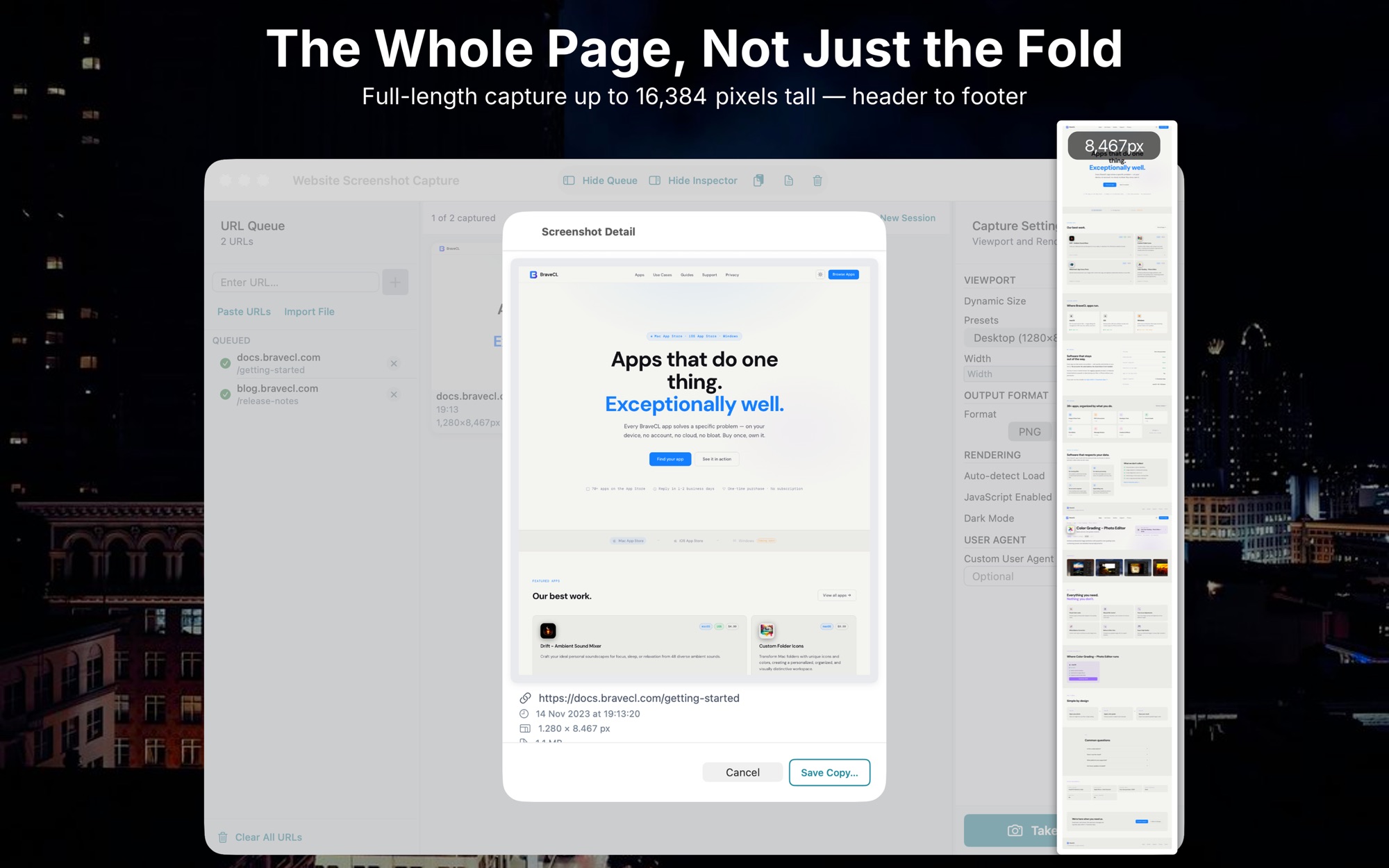
Full-page output to the scroll height
Full-page capture resizes the renderer to the page's full scroll height before the snapshot, so long pages are captured whole.
Wait for fonts, images and scripts
Dynamic load detection waits for web fonts, all images, and DOM stability before the snapshot.
Choose PNG, JPEG or PDF output
PNG is lossless, JPEG has an adjustable quality slider for smaller files, and PDF suits print-ready documents. Every URL in a run uses the same format.
On Windows, pick the output folder
On Windows, select the output folder before starting. All files go there, named after the URL hostname.
How it works
Step 1 of 5
Build the URL queue
Type, paste or import the addresses. The queue keeps them across launches.
Step 2 of 5
Set the viewport and rendering
Choose a preset or a custom width, then set the rendering options and the output format.
Step 3 of 5
Run the batch
Start the run. A live indicator shows the current address and overall count.
Step 4 of 5
Retry failed entries
Failed entries get a badge and can be retried one at a time, without restarting the batch.
Step 5 of 5
Find the files by hostname
Each file is named after the URL hostname, so the folder stays organised.
Platforms and requirements
macOS
- Store
- Mac App Store
- Version
- 1.2
- First released
- 10 June 2026
- Purchase
- One-time purchase: USD 9.99 in the Mac App Store
iOS
- Store
- App Store
- Version
- 1.0
- Requires
- iOS 17.0 or later
- First released
- 10 June 2026
- Last updated
- 15 June 2026
- Purchase
- One-time purchase: USD 9.99 in the App Store
Windows
- Store
- Microsoft Store
- Version
- 1.0.2.0
- Requires
- Windows 10, version 1809 or later
- First released
- 14 July 2026
- Purchase
- One-time purchase: USD 8.99 in the Microsoft Store
- Seller on the Mac App Store
- BraveCloud
- Seller on the Microsoft Store
- BraveCL
Details
- Languages
- 8 languages
- Account
- Not needed to use the app
Questions
Which formats does it support?
PNG for lossless output, JPEG with an adjustable quality slider, and PDF for print-ready documents.
Can it use a local development server?
Yes. It works with any public URL or a local development server on your network.
Does it wait for pages that load with scripts?
Yes. Dynamic load detection waits for web fonts, all images and DOM stability before each snapshot.
Works well with
 Image to PDF Export StudioPut the pages in order, then save one PDF you have checked. Preview every page before Save As writes the file.PDF & Documents
- macOS
- Windows
 Photo File Size ReducerPrepare photo batches for size-limited uploads. Compare each result with the original, then save the batch.Photo & Image
- macOS
- Windows
More developer tools
 Text IconsPut your words on folder artwork. Check the label at 32, 64 and 128 points, then save a PNG.Developer Tools
- macOS
- Windows
 Vector IconsGet a finished app icon ready for Xcode on Mac and iOS. Check the 16 pt and 32 pt sizes, then export the files.Developer Tools
- macOS
 CodeGetAdd your own colours, a shape and a logo to the code. Type the content, pick a correction level, then export.Developer Tools
- macOS
- iOS
Need help with Website Screenshot Capture?
Install and refund help for each store, and a form that reaches the developer.