 BraveCL

Print Web Pages
Save a long site as a paper-ready PDF. Preview each sheet, adjust awkward breaks, then export what you checked.
Only on Mac for now.
- Category
- Photo & Image
- Platforms
- Latest version
- 2.0
What Print Web Pages does
Capture the site you need
Enter a URL or use the included example, then inspect the captured appearance in Whole Page before preparing the output.
Preview each paper sheet
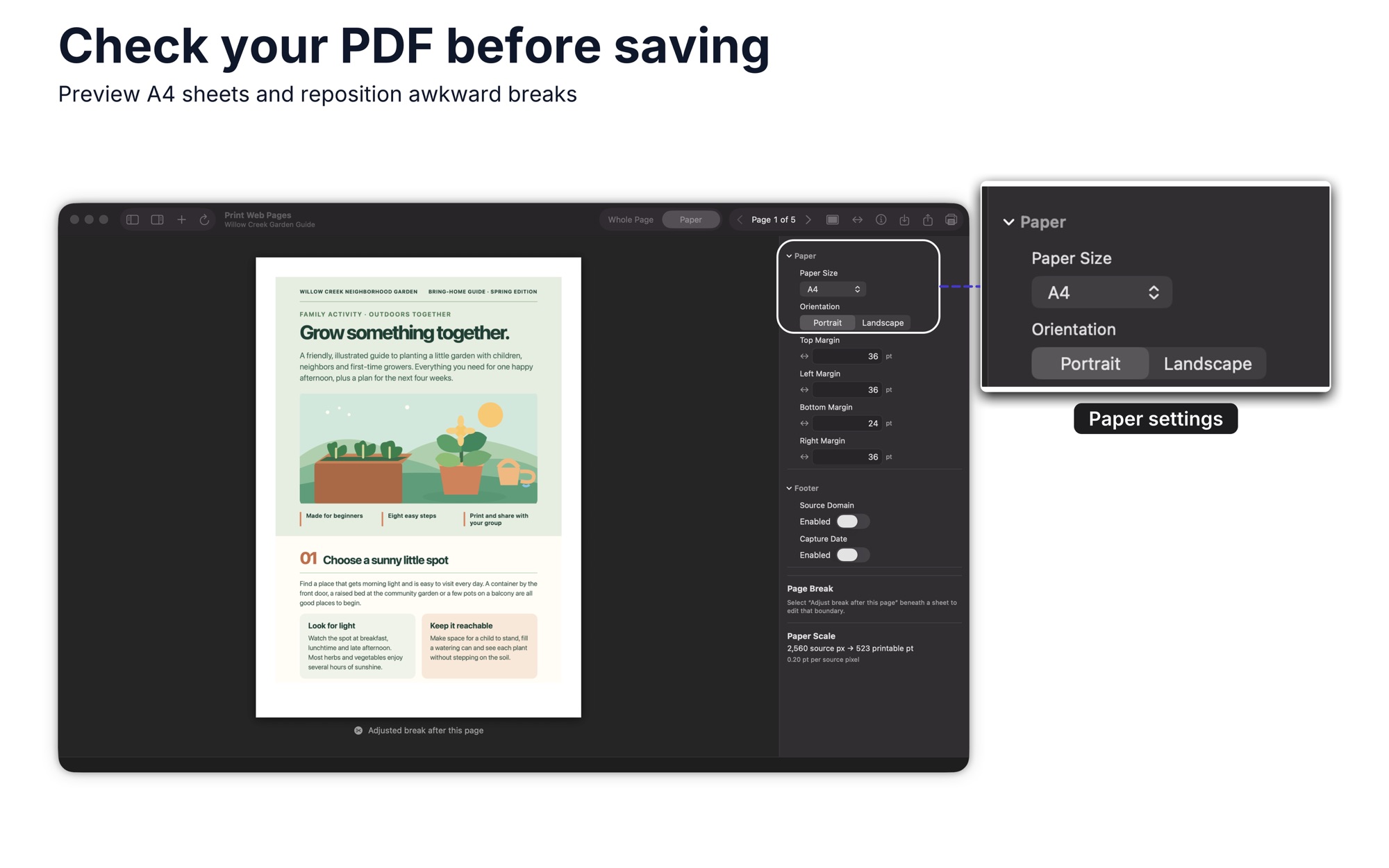
See numbered A4 or US Letter sheets; choose orientation, margins, and optional source, date, or page-number footers.
Adjust awkward page breaks
Move an interior break earlier, inspect the change, then undo or reset it if needed. The captured image stays the same.
Save the PDF you reviewed
Save, share, or print the prepared PDF shown in Paper without reloading the website.
Handle separate PDFs in batches
Check each PDF filename, see completed files, and retry a failed file without repeating finished ones.
How it works
Step 1 of 4
Add a URL or open the example
Enter the address or try the included example. Inspect the captured result in Whole Page.
Step 2 of 4
Choose a paper layout
Open Paper, select A4 or US Letter, choose orientation and margins, and add footers if needed.
Step 3 of 4
Inspect and adjust the breaks
Review the numbered sheets, move an interior break earlier, and undo or reset a change if it looks worse.
Step 4 of 4
Save, share, or print
Export the same prepared PDF shown in Paper, or save the entire capture as an image.
Guides for Print Web Pages
Solve a practical task with Print Web Pages, from the first step to the result.


Exports image-based PDFs on A4 or US Letter sheets; text in those PDFs is not searchable or selectable. The complete capture can also be saved as PNG, JPEG, JPEG 2000, TIFF, or BMP.
Platforms and requirements
macOS
- Store
- Mac App Store
- Version
- 2.0
- Requires
- macOS 14.0 or later
- First released
- 30 June 2017
- Last updated
- 10 Nov 2026
- Purchase
- One-time purchase: $14.99 in the Mac App Store
- Seller on the Mac App Store
- Clovis Michel Pedroso Picanco
Details
- Size
- 14 MB
- Languages
- 43 languages
- Account
- Not needed to use the app
Questions
Can I select text in the PDF?
No. The PDF is image-based; its text is not searchable or selectable.
Does saving reload the website?
No. Saving or printing uses the same prepared capture you reviewed in Paper.
Will every long site fit?
Very long or dynamic sites can exceed capture bounds. Inspect the result before exporting.
What's new
Version 2.0 · 10 Nov 2026
Version 2.0 makes long webpages easier to turn into PDFs that look right on paper.
All releases of Print Web PagesMore photo and image apps
 Color GradingSet exposure, shadows and colour for a single picture. Start from a built-in look and drag the divider to compare.Photo & Image
- macOS
- Windows
 WatermarkGet copies of each photo with your logo or text in the same spot. Check each one in the preview, then export.Photo & Image
- macOS
- Windows
 HEIC Photos to JPG & PNGGet a folder of images in the format another program accepts. Set options once, then see which files finished.Photo & Image
- macOS
- Windows
Need help with Print Web Pages?
Install and refund help for each store, and a form that reaches the developer.