 BraveCL

PicDesign
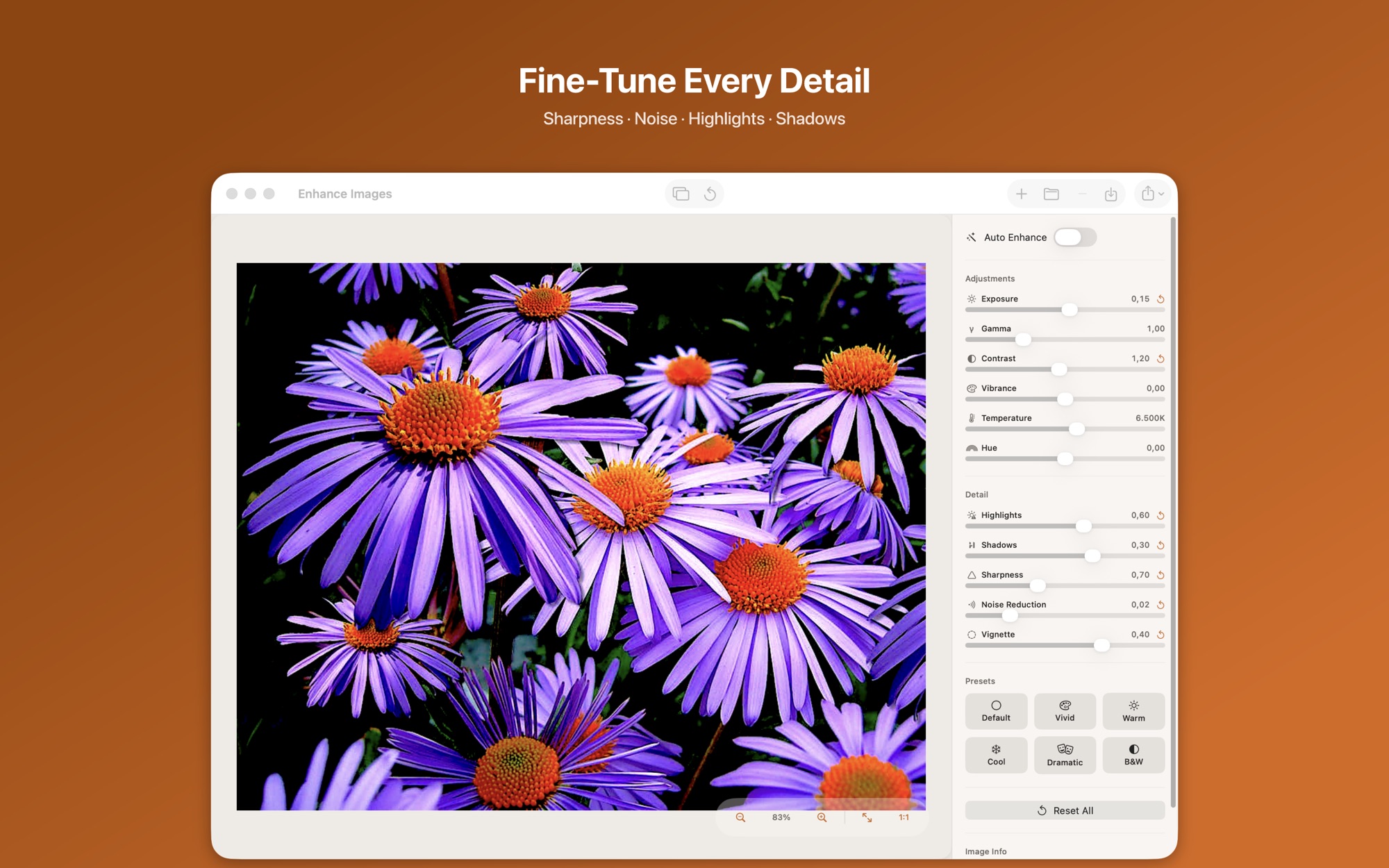
Give a photo the tones you want. Start from 6 presets or 11 sliders, then compare with the original.
Only on Mac for now.
- Category
- Creative & Effects
- Platforms
- Latest version
- 4.0


What PicDesign does
Auto Enhance in one click
Turn on Auto Enhance and the app analyzes the photo and applies corrections. Use the result as a starting point and adjust from there.
11 sliders for color and detail
Adjust six color controls and five detail controls, including exposure, contrast and noise reduction. Each slider has its own reset button.
6 built-in presets
Start from Default, Vivid, Warm, Cool, Dramatic or B&W, then adjust the sliders further.
Before and after comparison
Drag the divider across the photo to compare the original with the edited version. A quick toggle switches between them.
Live preview as you edit
Each change appears in the preview the moment you make it.
Platforms and requirements
macOS
- Store
- Mac App Store
- Version
- 4.0
- Requires
- macOS 26.0 or later
- First released
- Jul 16, 2016
- Last updated
- Mar 12, 2026
- Purchase
- One-time purchase: $4.99 in the Mac App Store
- Seller on the Mac App Store
- BraveCloud
Details
- Size
- 5 MB
- Languages
- 1 language
- Account
- Not needed to use the app
Questions
Which formats can it export?
Export as JPEG, PNG, HEIF or TIFF. JPEG suits sharing and the web, PNG keeps transparency, and TIFF suits print and archiving.
How do I save or export my edit?
Press Command S to save the enhanced image, or Command E to export it in a format you choose.
Can I undo all my adjustments at once?
Yes. Reset All restores every parameter to its default with one click.
Which macOS version does it need?
It requires macOS 26 or later.
Related apps
 Background Cut StudioSave the subject as a transparent PNG. Fix missed areas with a brush and the edge with sliders.Photo & Image
- macOS
- Windows
 Color SplashStart from a black and white image and brush the colour back in where you want it. Use Color Shift for new hues, and add light rays from a set of 120.Creative & Effects
- macOS
 Easter Frames & Cute StickersPut your photos and words on an Easter card. Fit or fill each picture, then preview it before you share or print.Creative & Effects
- macOS
Need help with PicDesign?
Install and refund help for each store, and a form that reaches the developer.