Assets for Xcode
Assets for Xcode
Generate complete AppIcon catalogs from one image
macOSiOSDeveloper Tools$3.99 v5.0
Quickly create AppIcon asset catalogs for all Apple platforms from a single source image, ensuring perfect scaling and format.
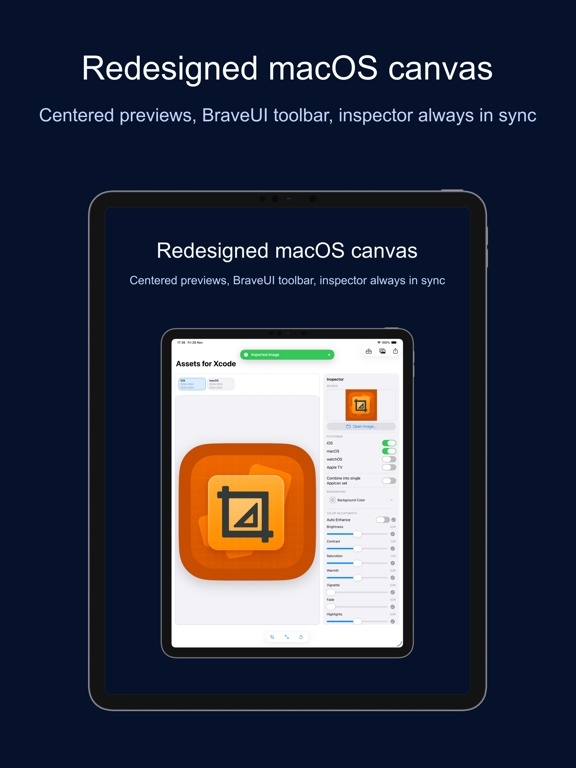
Everything you need.
Nothing you don't.

🖼️
Generate Complete Catalogs
Create full AppIcon catalogs for all Apple platforms.
👆
Single Image Input
Start with one 1024px square image.
🗂️
Xcode Asset Catalogs
Exports industry-standard `.xcassets` folders.
🔍
Instant Visual Preview
See generated icons and sizes before export.
Blazing Fast Processing
Rapidly transform your image into a complete icon set.
📱
All Apple Platforms
Supports iOS, macOS, watchOS, and tvOS icon specifications.

Where Assets for Xcode runs

macOS
Available
Drag & drop icon files
Save directly to Xcode projects
Native AppKit user interface
Download · $3.99
iOS
Available
Generate icons on the go
Share catalogs via Files app
Supports Split View multitasking
Download · $3.99

Simple by design

Step 01
Selected your icon
Dragged or browsed for your 1024px source image.
Step 02
Reviewed generated assets
Inspected the automatically generated icons for all target platforms.
Step 03
Exported asset catalog
Saved the complete `.xcassets` folder directly to your project.

Common questions

Assets for Xcode is a one-time purchase. There are no subscriptions or recurring fees.
No. All icon generation and processing happens locally on your device, ensuring complete privacy.
The app generates icon catalogs for iOS, macOS, watchOS, and tvOS, compatible with Xcode.
All future updates and new features are included free with your one-time purchase.
macOS version
macOS 13 Ventura or later
iOS version
iOS 16 or later
Architecture
Apple Silicon + Intel Universal
Purchase model
One-time purchase · $3.99
None
No
No

We're here when you need us.

Small team, real humans. We read every message and typically reply within 1–2 business days.

Assets for Xcode — Developer Tools for Mac & iPhone & iPad — BraveCL