 BraveCL

MemeProducer
Make a meme from your photo or screenshot. Add top and bottom captions, preview the PNG, then paste it into a chat.
Only on Mac for now.
- Category
- Photo & Image
- Platforms
- Latest version
- 3.0

What MemeProducer does
Add top and bottom captions
Type your own words above and below a photo or screenshot. Keep your capitalization or switch to Uppercase.
Start with a picture or template
Choose a photo, drop in an image, paste a screenshot, or browse 100 included pictures in four searchable categories.
Fit the photo to the canvas
Choose Original, Square, or Portrait. Use Keep Whole or Fill and Reframe to position the subject.
Place text over or beside the photo
Use Classic for outlined captions over the picture, or Bands for captions outside it.
Preview and share a checked PNG
Check Full, 480, and 240 widths. Fix captions that do not fit, then Copy PNG, Save As, or use the Share menu.
How it works
Step 1 of 4
Choose a starting picture
Choose Photo, drop in an image, paste a screenshot, or browse the included pictures.
Step 2 of 4
Write your captions
Enter the top and bottom text. Use Uppercase if needed; Undo and Redo let you revise the words.
Step 3 of 4
Set the shape and text placement
Pick Original, Square or Portrait, then Keep Whole, Fill or Reframe. Choose Classic or Bands.
Step 4 of 4
Inspect and share the PNG
Preview at Full, 480 or 240 widths. Fix any text that will not fit, then Copy PNG or Save As.
Guides for MemeProducer
Solve a practical task with MemeProducer, from the first step to the result.


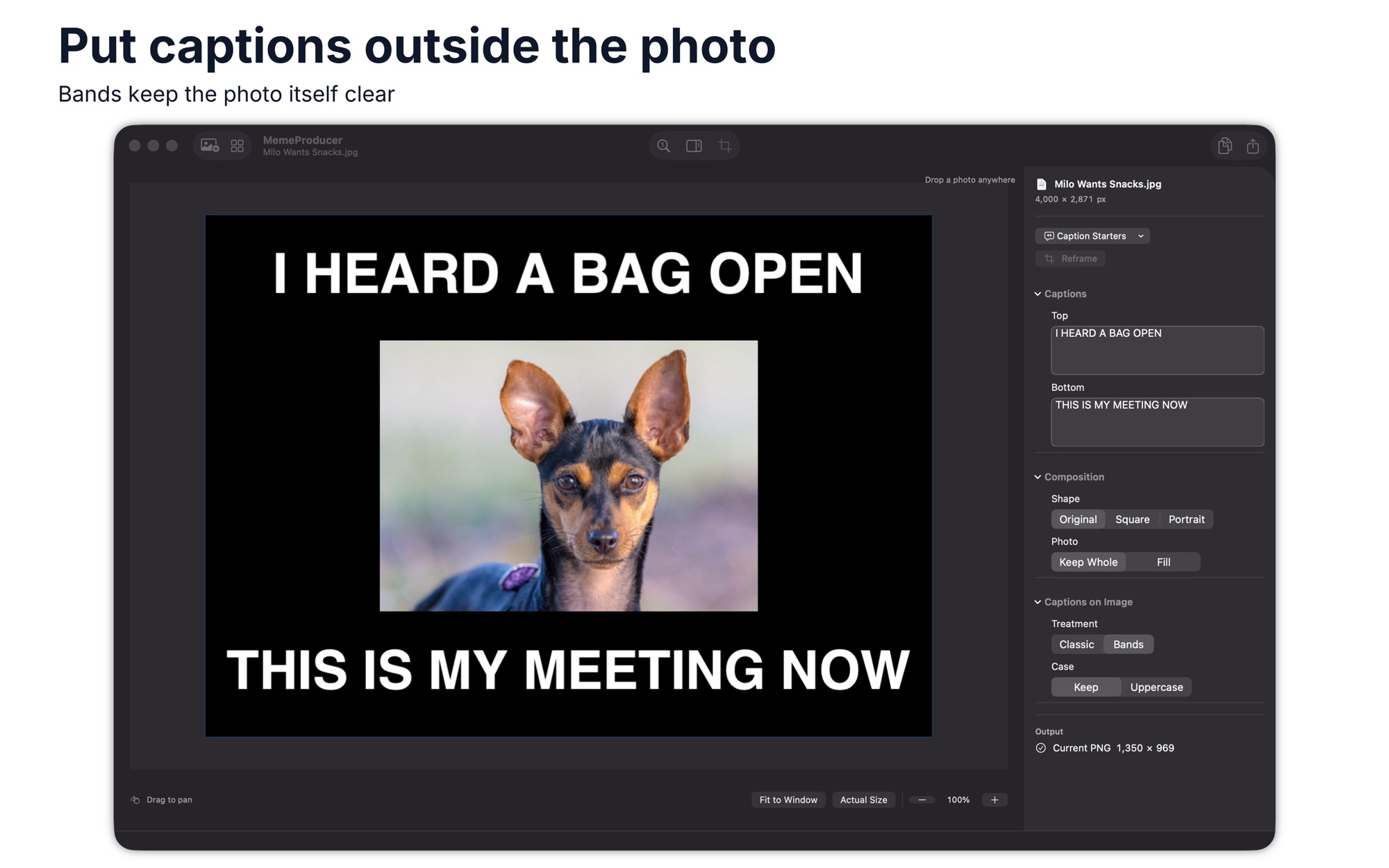

Use a photo or screenshot as the input. Copy or save the finished image as a PNG.
Platforms and requirements
macOS
- Store
- Mac App Store
- Version
- 3.0
- Requires
- macOS 14.0 or later
- First released
- 18 Nov 2016
- Last updated
- 10 Nov 2026
- Purchase
- One-time purchase: £9.99 in the Mac App Store
- Seller on the Mac App Store
- Clovis Michel Pedroso Picanco
Details
- Size
- 36 MB
- Languages
- 43 languages
- Account
- Not needed to use the app
Questions
Can I start with my own photo?
Yes. Choose Photo, drop an image into the window, or paste a screenshot. You can also select from the included pictures.
Can I share without saving a file?
Yes. Check the PNG preview, then use Copy PNG to paste it into a chat. Save As and the Share menu are available too.
Can I make GIFs or multi-panel memes?
No. The app works with one still image and two captions at a time. It does not create GIFs or multi-panel layouts, and it does not retain editable projects.
What's new
Version 3.0 · 10 Nov 2026
Version 3.0 helps you write a meme in your own words, check the result, then copy it to a chat without saving first.
All releases of MemeProducerMore photo and image apps
 Color GradingSet exposure, shadows and colour for a single picture. Start from a built-in look and drag the divider to compare.Photo & Image
- macOS
- Windows
 WatermarkGet copies of each photo with your logo or text in the same spot. Check each one in the preview, then export.Photo & Image
- macOS
- Windows
 HEIC Photos to JPG & PNGGet a folder of images in the format another program accepts. Set options once, then see which files finished.Photo & Image
- macOS
- Windows
Need help with MemeProducer?
Install and refund help for each store, and a form that reaches the developer.