 BraveCL

Color Splash: Color in B&W
Keep one detail in colour against a greyscale photo. Choose its range, brush the edges and preview a PNG or JPEG.
Only on Mac for now.
- Category
- Photo & Image
- Platforms
- Latest version
- 2.0

What Color Splash: Color in B&W does
Choose the detail to keep vivid
Sample a colour, adjust its range and keep it across the whole photo, within a subject or in a rough area.
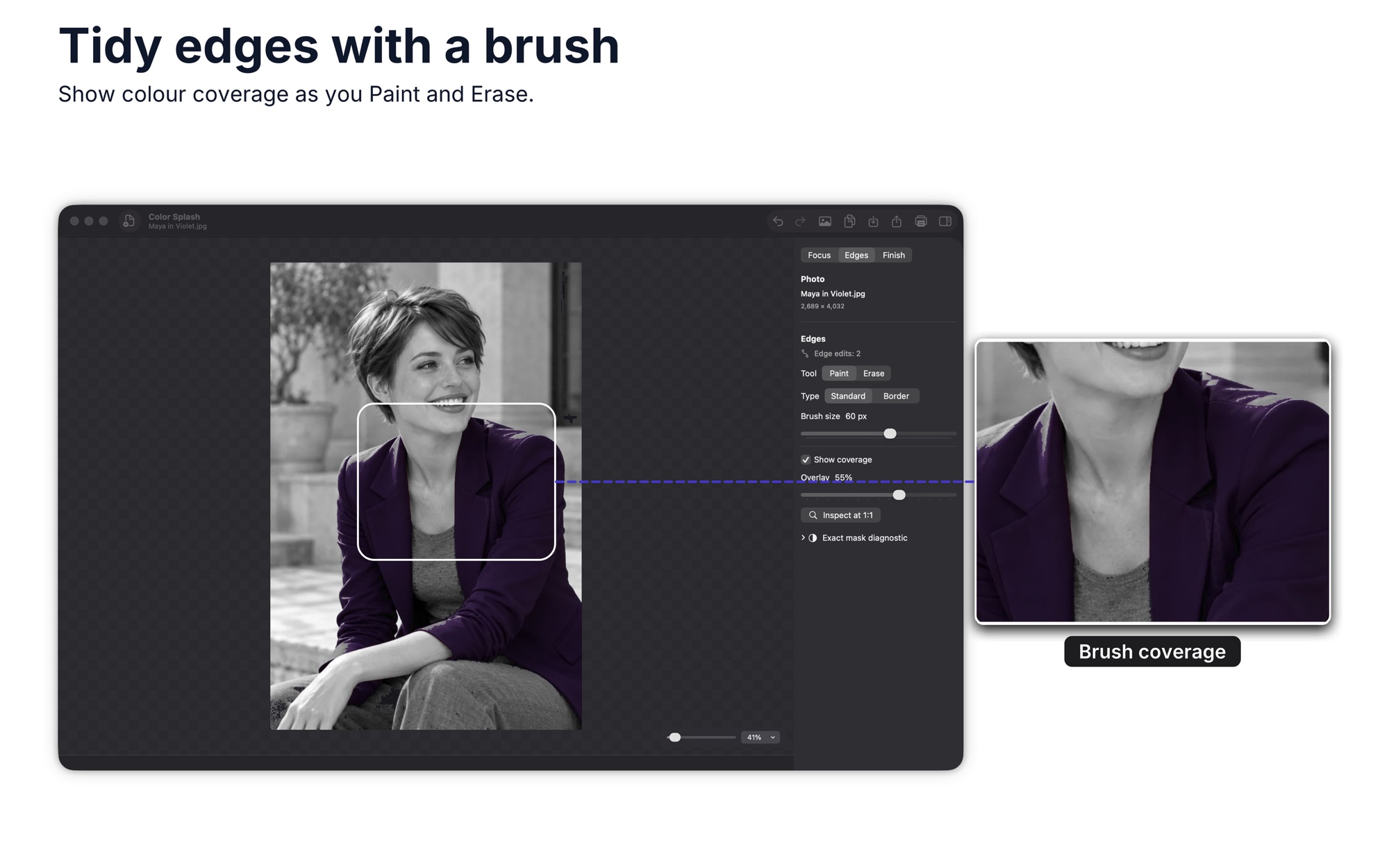
Correct selection edges by hand
Paint missed colour back in or erase spill directly on the photo. View the selected area at actual size and undo corrections.
Quiet the rest of the photo
Reduce background saturation, adjust contrast and tune hue. Compare with the original before keeping the change.
Add a light accent if it fits
Choose from five optional light accents after setting the subject and background.
Inspect the export before saving
Preview the PNG or JPEG with dimensions and file size, revise the edit, then save, share, print or copy a full-resolution PNG.
How it works
Step 1 of 5
Open a photo or an example
Start with your own photograph or one of eight editable examples. Work on one photo at a time.
Step 2 of 5
Choose where the colour remains
Sample an existing colour, adjust its range and select the whole photo, a subject or a rough area.
Step 3 of 5
Brush the selection edges
Paint missed colour back in or erase spill. Inspect at actual size and undo corrections as needed.
Step 4 of 5
Adjust the background
Reduce saturation, tune contrast and hue, and compare your edit with the original.
Step 5 of 5
Preview, then save or share
Review the PNG or JPEG dimensions and size, make any final edit, then save, share, print or copy a full-resolution PNG.
Guides for Color Splash: Color in B&W
Solve a practical task with Color Splash: Color in B&W, from the first step to the result.



Saves PNG or JPEG. Copies a full-resolution PNG.
Platforms and requirements
macOS
- Store
- Mac App Store
- Version
- 2.0
- Requires
- macOS 14.0 or later
- First released
- 24 May 2016
- Last updated
- 10 Nov 2026
- Purchase
- One-time purchase: $14.99 in the Mac App Store
- Seller on the Mac App Store
- Clovis Michel Pedroso Picanco
Details
- Size
- 16 MB
- Languages
- 43 languages
- Account
- Not needed to use the app
What's new
Version 2.0 · 10 Nov 2026
Color Splash 2.0 brings a revisable color choice, on-photo edge correction and a preview of the finished file before saving.
All releases of Color Splash: Color in B&WMore photo and image apps
 Color GradingSet exposure, shadows and colour for a single picture. Start from a built-in look and drag the divider to compare.Photo & Image
- macOS
- Windows
 WatermarkGet copies of each photo with your logo or text in the same spot. Check each one in the preview, then export.Photo & Image
- macOS
- Windows
 HEIC Photos to JPG & PNGGet a folder of images in the format another program accepts. Set options once, then see which files finished.Photo & Image
- macOS
- Windows
Need help with Color Splash: Color in B&W?
Install and refund help for each store, and a form that reaches the developer.